FTP利用方法

FFFTPを利用したFTP接続方法

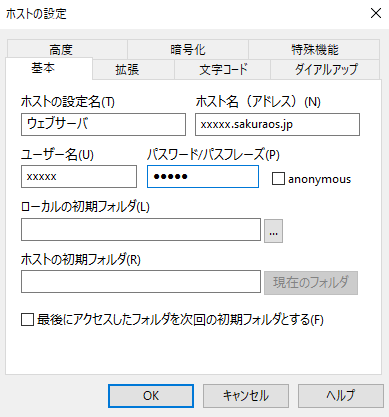
新規ホスト登録画面で、以下の情報を入力します。

  • ホストの設定名:任意の名称を入力します。
  • ホスト名(アドレス):初期ドメインを入力します。
  • ユーザー名:アカウントを入力します。
  • パスワード:管理画面のパスワードを入力します。

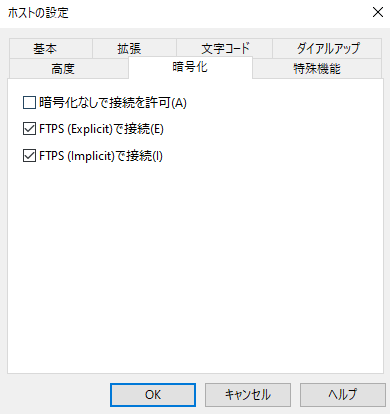
暗号化タブを開き、「暗号化なしで接続を許可」のチェックを外します。
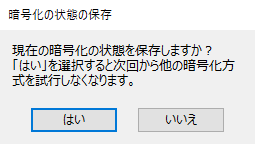
OKでホストの設定画面を閉じ、接続します。以下のメッセージが表示されたら「はい」をクリックします。
ホスティングサービス管理画面の「WEB公開フォルダ」内に、ホームページのコンテンツをアップロードします。

This website stores cookies on your computer. These cookies are used to provide a more personalized experience and to track your whereabouts around our website in compliance with the European General Data Protection Regulation. If you decide to to opt-out of any future tracking, a cookie will be setup in your browser to remember this choice for one year.

Accept or Deny